You don't need dozens of tools to run your business
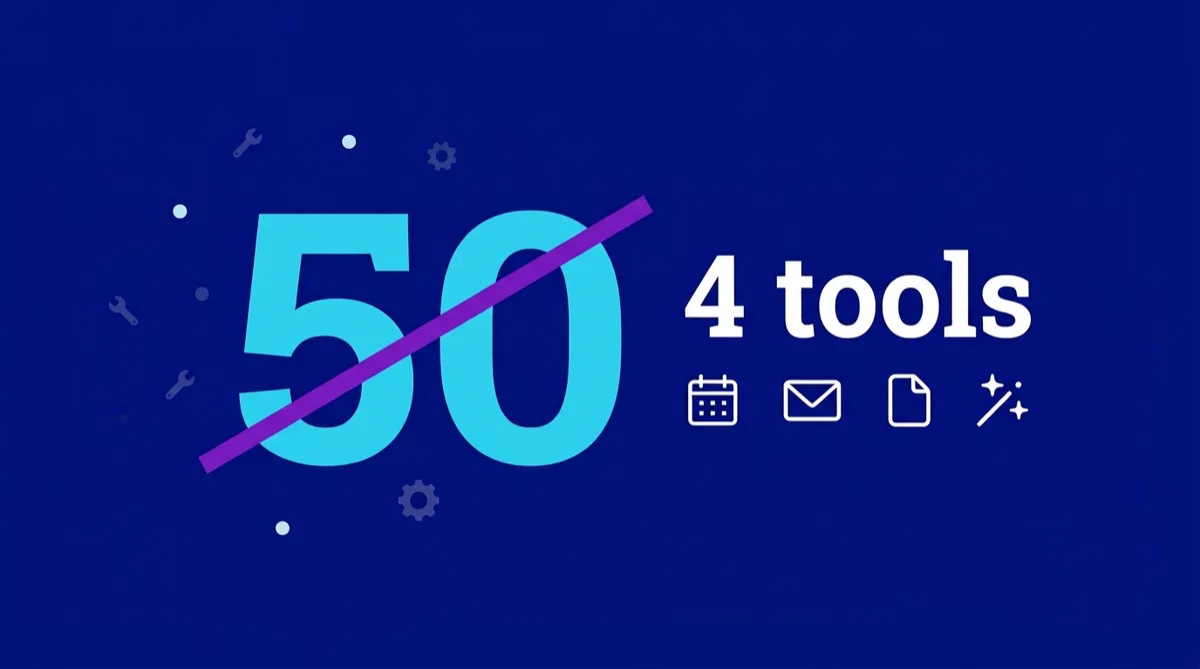
Last week I came across an amazing website and was checking out the "tools I recommend" page. This coach had more than 50 tools on it.
Now, I've been in business for more than 5 years, and I've tried a lot of tools and a lot of different software. And I have to say, I was overwhelmed by that list. So, I can only imagine what it would feel like for someone brand new to business.
That's the thing when you're starting out: you don't know what you don't know. So, when someone who is further along than you says "you just have to have xyz", you believe them. Obviously, they know what they're talking about. I've seen people spend thousands of dollars on software they barely use, because someone told them it was essential.
Here's the advice I wish more people got in their first year.
1. You probably don't need it yet
Most tool lists are written by people who are years ahead of you. They're recommending what suits a business of their size, with their team, their customers and their problems, which makes perfect sense to them.
But as a newbie, you don't need all the bells and whistles. You need something that doesn't cost a fortune and solves your immediate problem.
2. Start free, upgrade when you've outgrown it
If a tool has a free version, start there. You'll learn how it works with no money on the line, and you'll find out soon enough whether it works for you.
Once your business grows and you're bringing in money, that can be the catalyst to upgrade. I still use the free version of Notion. Why pay if you don't have to?
3. If there's no free version, use the free trial
You can tell a lot about software in the first few days. Does it make sense to you? Do you find yourself opening it, or avoiding it? Is it solving the problem you bought it for, or creating more headaches?
I'm not saying give up in the first few days, because new software can take time to get your head around. But you should get a feel for it in the first week or so if it's going to work for your business.
4. Don't go all in
This is the one I'd tattoo on every new business owner. If you've got an all-in-one platform, don't try to set up everything in week one. Pick the easy thing first. Maybe it's a booking calendar, or the social media scheduling tool. Get one thing working first. It's easier on your brain and less overwhelming.
That way, if you decide it's not for you, you haven't lost weeks of setup.
It's what I tell my BizCentral clients: start with the easiest bit, and once you've got a good understanding of that, move on to the next. And if you get stuck, use AI and YouTube. AI is amazing at getting you unstuck and walking you through the steps, and someone has almost certainly made a video showing exactly what you're trying to do.
5. Don't be afraid to change
When I talk to business owners about changing software, you'd think I was telling them to cut off their arm. As humans, we become attached to our decisions. The thing is, software changes, your business has probably changed, and what suited you when you started might not work as well now.
The other thing people say to me is, "I don't have time to change." My immediate response is: what is it costing you not to change? It's generally time or money.
When you're considering a change, have a chat to a few of your peers. But please don't ask a hundred different people, or you'll end up more confused and overwhelmed than ever.
Where AI comes in
When I'm looking to buy something new, I tell my AI assistant what problem I'm having and ask it to research the options. I give it criteria too.
I recently did this when I was buying a new phone. I told it I didn't want an iPhone, gave it my budget and what I wanted the phone to do. It came back with two options, and I bought one.
It works the same way for software. Tell it what your business does, what you're trying to fix, what you can spend, and whether you want a free version or a trial. Then ask for two or three options.
But be specific. A friend of mine needed a new printer, and she wanted an eco-friendly one that could print on both sides. What she forgot to tell the AI was that it had to print on both sides automatically, without her turning the page around. The AI answered the question she asked, not the one she meant.
And remember, not everything your AI tells you is 100% right. Always check! Look up prices, features and trial terms on the company's own website before you buy.
My recommendations
So, after all that, what do I recommend? Four things.
BizCentral. It's where my email marketing, social media scheduling and booking calendars all live, in one place. Start with one feature, like we talked about.
Notion. It's where I organise everything else, and I use the free version.
Canva. It has a free version, and it's plenty for most graphics when you're starting out.
An AI assistant. It's my research partner, and it gets me unstuck.
That's it. Four tools, not fifty. Is that all you'll ever need? Probably not, and that's fine. Add things as your business grows, and only when you know why you need them.
If you'd like to see how an all-in-one platform feels without going all in, you can try BizCentral Essentials free for 30 days: bizcentral.com.au/home